VoiceSpotter is a weight-lifting log you talk to. Say “bench press 8 at 80” and it’s logged: no typing with chalky hands, no losing count. It plans your training around your shifts and asks when it isn’t sure.
Coming soon on theApp StoreFor iPhone. Free of ads and tracking. Your data stays on your phone.
Voice logging
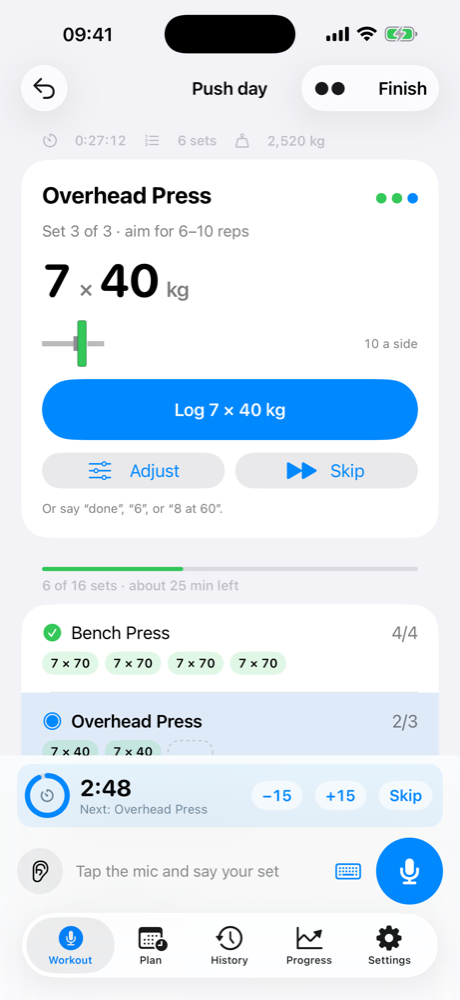
Say the exercise, reps and weight to start. After that, say less: “6 at 85” is the next set, and just “6” means the same weight again.
No guessing
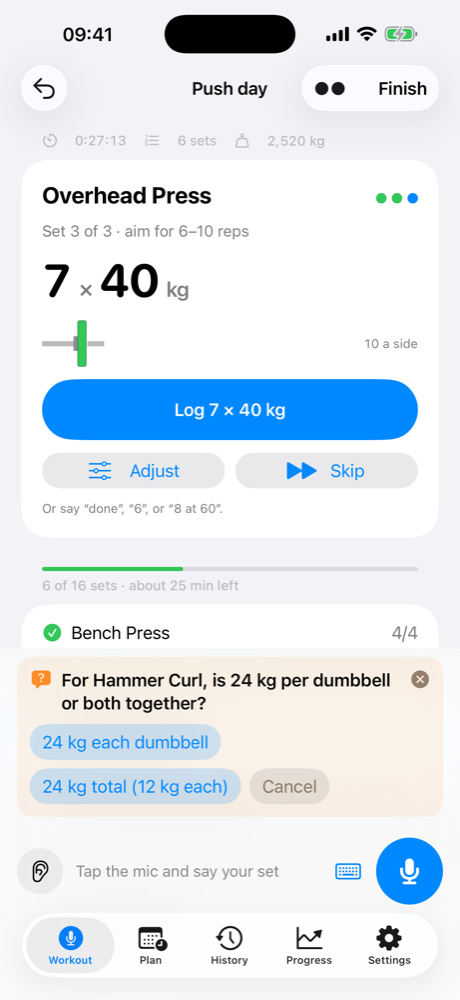
Gyms are noisy and speech recognition isn’t perfect. When something could mean two things, VoiceSpotter asks you a quick question. You can answer by voice or with a tap.
Built for shift workers
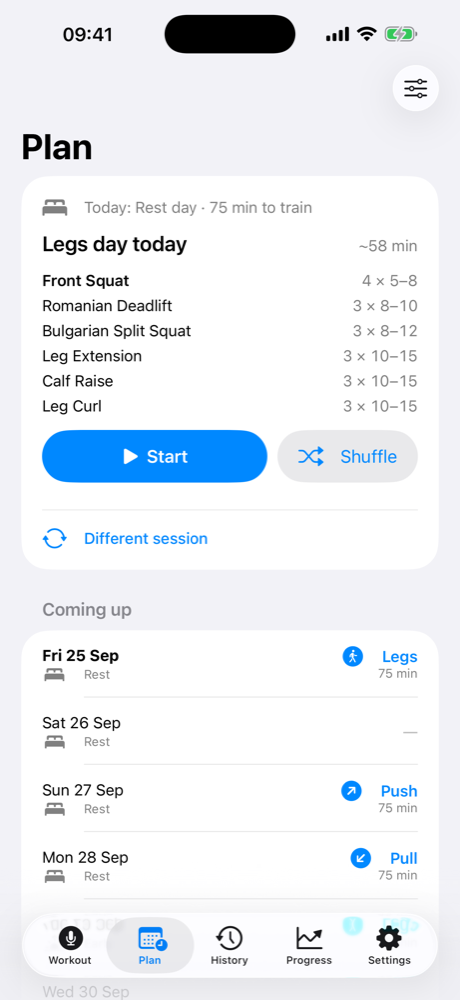
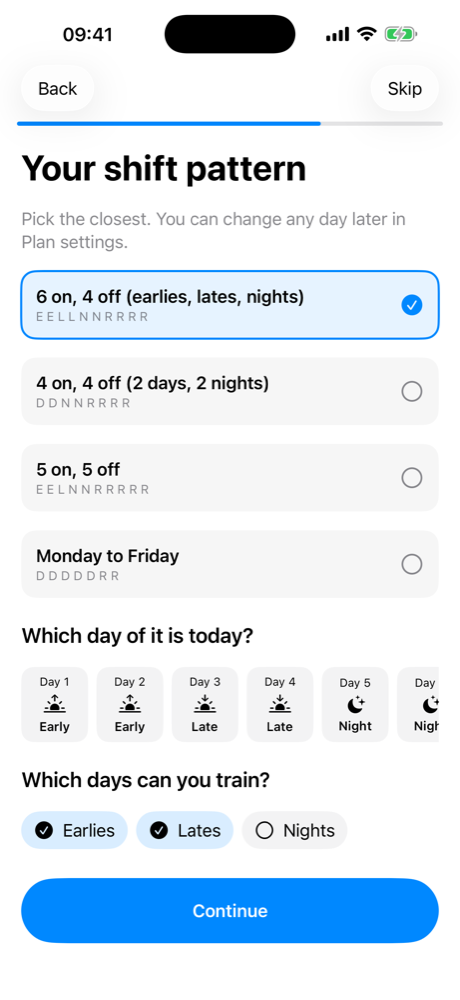
Enter your shift pattern, e.g. 6 on and 4 off with earlies, lates and nights. Choose how many push, pull, legs or mixed sessions you want per cycle, and set how long you have on each type of day.
Rest timer
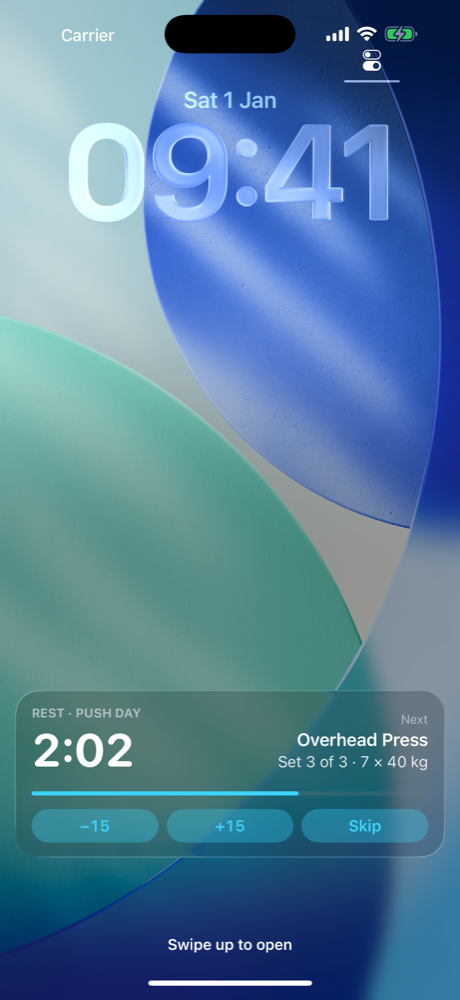
A rest countdown starts after every set, longer for heavy lifts and shorter for accessories. Add or take off 15 seconds from the Lock Screen or Dynamic Island. When time’s up it tells you what’s next.
Progress
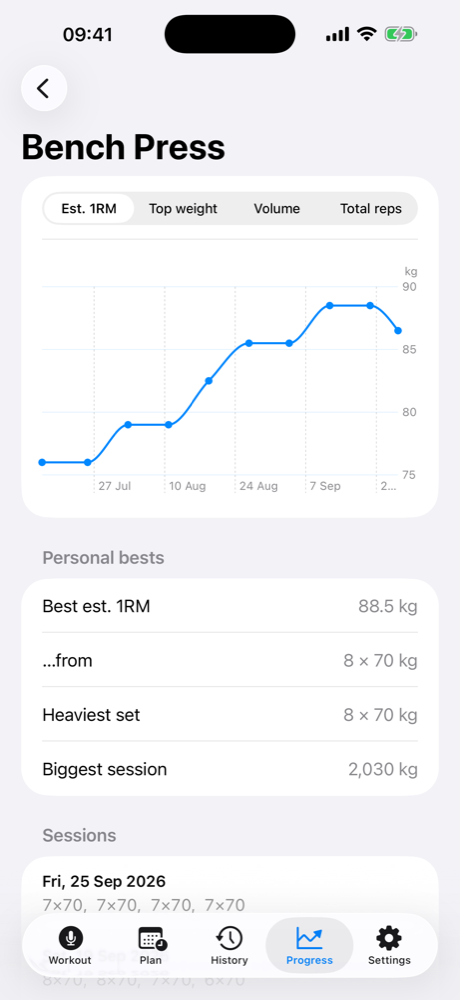
Total weight lifted each week, estimated one-rep max, top weight and volume for every exercise, and new personal bests called out as they happen.
Getting started
The first time you open VoiceSpotter, a short guide walks you through it:
After that, today’s session is waiting on the first screen. Tap Start and talk. You can change anything later in Settings, or run the guide again.
Shows which plates go on each side of the bar, using only the plates you own. Works with odd bar weights like 18.7 kg.
Weights are per dumbbell and your totals count both hands. Say “each” or “total” whenever you want.
Log left, right or each side. After a left set it assumes the next one is right.
Start hands-free mode from the Action Button, or say “Log a set in VoiceSpotter”.
Optionally save each session to Health as strength training, so it counts towards your Activity rings. Never duplicates your Apple Watch.
Use either, and switch any time. Everything converts.
No account, no ads, no tracking. Your training history stays on your iPhone.
See how it works for everything you can say, or get in touch.