 iWonderWhat
iWonderWhat
Catch the questions you raise.
Some questions only matter for about ten seconds. This one listens for them, so you don't have to pull your phone out mid-sentence and kill the conversation that made the question interesting.
“I wonder why they stopped making those.”
…and by the time you could look it up, everyone's three subjects on and you've forgotten what "those" were.
iPhone · iOS 26 or later · no account, no cloud, no ads
How it works
Three steps, and only the first one happens while you're talking.
Start a session
Before dinner, a walk, a meeting. A Live Activity sits on your Lock Screen for the whole of it, so it's never a secret that it's listening.
It catches the questions
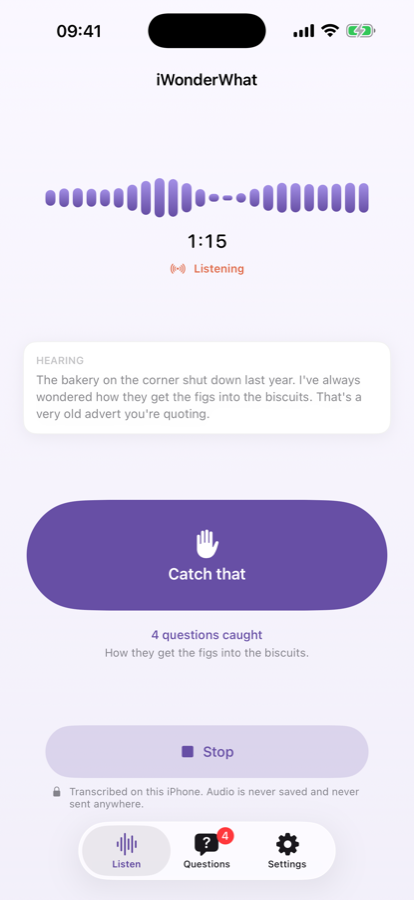
It listens for the shape of a question and quietly queues it. Or tap Catch that and it grabs the last 45 seconds — backwards.
Look them up later
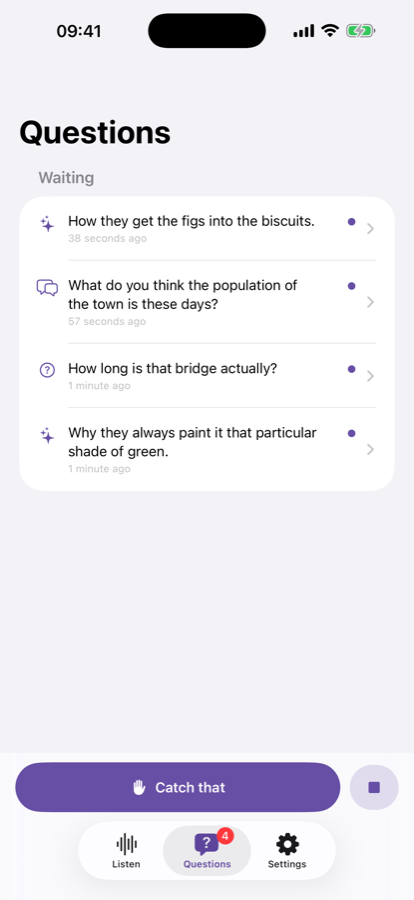
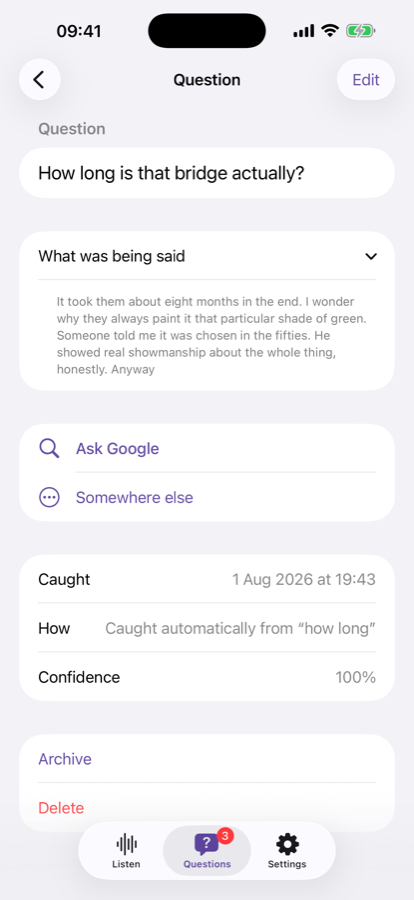
When you've got a minute, swipe through what you caught and send each one to Google, Claude, ChatGPT, Perplexity or Wikipedia. Or bin it.
The thing it's actually good at
You almost never know a question is interesting until it's already gone. Catch that reaches backwards through the last 45 seconds and pulls out what was just said — no trigger phrase, no warning needed. It's on the Lock Screen, in the Dynamic Island, in Control Centre, on your Action Button, and on a double-tap of the back of your phone.
What sets it off
Around 36 phrases out of the box, each one switchable, and you can add your own.
On your wrist
Start, stop and Catch that from your Apple Watch, including a watch face complication — one tap from the face, phone still in your pocket.
The Watch is a remote control, not a microphone. watchOS has no on-device speech model, so your iPhone does the listening and no audio ever crosses between the two. If you want it to hear more of the room, wear AirPods — the app shows you which microphone is actually in use.
Say the word
Turn on the spoken command and just say “GoWonder” — the last question you caught gets looked up. No hands, no screen, no stopping the conversation. Pick a different phrase if that one doesn't suit your mouth.
A look at it
It stays on your phone
This is the part that matters, so here it is in full.
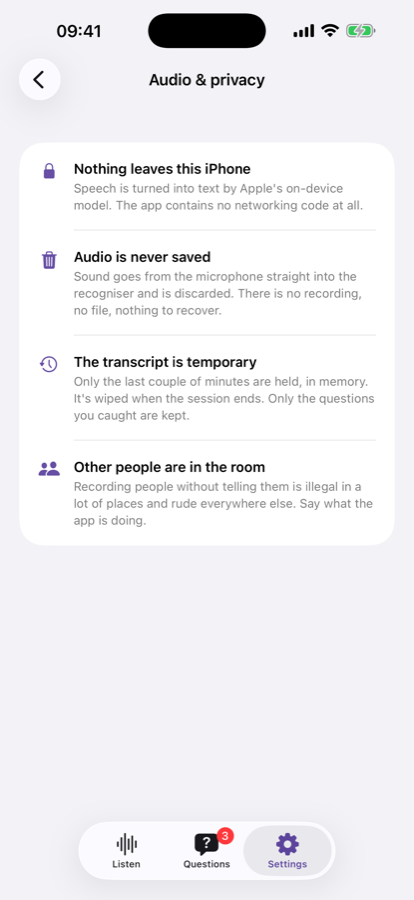
- Nothing is sent anywhere. Speech becomes text using Apple's on-device model. The app contains no networking code at all — the only thing that ever leaves is a search you tapped.
- Audio is never saved. It goes from the microphone into the recogniser and is discarded. There is no recording, no file, nothing to recover.
- The transcript is temporary. A couple of minutes are held in memory and wiped when the session ends. Only the questions you caught are kept.
- No account, no sync, no analytics. No third-party SDKs of any kind. Nobody is watching, including us.
- It only listens when you start it. Never on launch, never on a schedule, never in the background on its own. And sessions stop themselves after a time limit, so a forgotten one can't run all day.
The full detail is in the privacy policy, which is short, because there is genuinely nothing going on behind your back.